
A growing business needs more than powerful servers. It needs a network that keeps applications responsive, moves data efficiently, protects business systems and supports future expansion. Understanding the right data centre networking requirements for Indian enterprises helps IT teams make these decisions without overspending on unnecessary infrastructure.
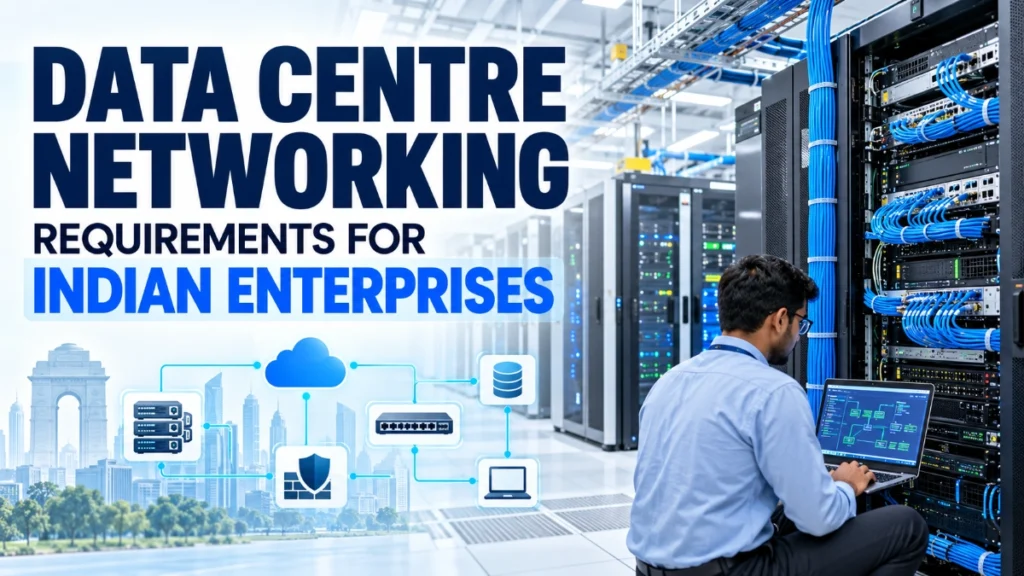
This guide explains the essential components, bandwidth considerations, network architectures, security measures and planning decisions that help businesses build a reliable enterprise data centre network.
Why Data Centre Networking Matters More Than Businesses Realise
Imagine an Indian business that started with a few servers and a straightforward IT setup. Its employees could access business applications, retrieve customer information and complete daily tasks without much trouble.
As the business grows, however, its requirements begin to change. It adds more applications, databases, employees, digital services, backups and cloud connections. Customers expect faster responses, while management wants the IT team to support expansion without disrupting existing operations.
The original network may still work, but certain tasks could start taking longer. Large backups might compete with application traffic. Servers might struggle to exchange data efficiently. A failed network link could interrupt an important service, and adding new equipment might require more planning than expected.
These challenges do not affect every organisation in the same way. However, they highlight an important point: business growth requires a network that can grow alongside the systems it connects.
Indian enterprises increasingly rely on digital payments, enterprise resource planning (ERP), customer platforms, analytics, cloud services and internal applications. Even powerful servers cannot deliver a smooth experience if the network connecting them becomes a bottleneck.
So, what networking infrastructure does an Indian enterprise actually need in its data centre?
The answer depends on its workloads, traffic patterns, reliability requirements, security needs, budget and growth plans. Understanding these factors helps businesses choose suitable Ethernet switches, bandwidth, fibre connectivity, redundancy and monitoring capabilities without making the network unnecessarily complicated.
What Is Data Centre Networking?
Data centre networking connects the servers, storage systems, network devices and external networks that businesses use to run their applications and manage information.
Consider a simple example. An employee opens an order-management application. The application retrieves customer details from a database running on another server. The network carries requests between the systems and returns the required information to the application.
Several components make this communication possible.
- Servers run applications, process requests, and perform computing tasks.
- Ethernet switches connect devices and forward data to the appropriate destinations.
- Routers and firewalls help connect different networks, control traffic and enforce security policies.
- Fibre-optic links carry data between devices or network locations when distance, bandwidth, or cabling requirements make fibre suitable.
- Management and monitoring tools help IT teams observe network health, identify faults and investigate performance problems.
Together, these components form the data centre network infrastructure.
A well-planned network allows applications and systems to communicate efficiently. It also gives IT teams the flexibility to add resources, control access and respond to problems without unnecessarily disrupting business operations.
Why Indian Enterprises Need to Plan Their Network Carefully
An enterprise network should reflect how the business operates today and how it expects to operate in the future.
A company that runs a few internal applications has different networking needs from a financial services business handling high transaction volumes or an organisation processing large datasets for analytics and artificial intelligence (AI).
Several factors influence these requirements.
- Growing application and data demands: As businesses add databases, ERP platforms, analytics tools and digital services, their servers may exchange more data. The network must accommodate this traffic without creating avoidable congestion.
- Distributed operations: Companies with multiple offices, remote employees, or branch locations need reliable connections between their users, applications and central systems.
- Cloud and hybrid infrastructure: Some organisations keep applications in their own facilities, while others use cloud platforms or a combination of both. Network design must account for the connections between these environments.
- Backup and business continuity: Regular backups and disaster recovery arrangements require suitable network capacity and reliable connectivity. IT teams should consider how large data transfers affect everyday applications.
- Future workloads: AI, analytics, and other data-intensive applications may introduce new bandwidth and latency requirements. Businesses should assess these workloads before choosing their infrastructure.
Deployment also matters. An on-premises data centre gives an organisation direct responsibility for its physical network. A colocation facility provides space and infrastructure in a third-party facility, while cloud-hosted services shift much of the physical networking responsibility to the cloud provider.
In every case, the right approach starts with actual business requirements. Buying the largest switches or fastest links available does not automatically produce the best network.
Essential Data Centre Networking Requirements for Indian Enterprises
The following requirements provide a practical starting point for planning an enterprise data centre network.
A. Sufficient bandwidth and network capacity
Bandwidth determines how much data a network link can carry per second. If too much traffic competes for limited capacity, applications may experience congestion, slower transfers, or inconsistent response times.
A data centre may need to carry traffic between application servers, databases, storage systems, backup infrastructure and external services. Each traffic flow contributes to the overall demand.
Common Ethernet speed options include:
- 1 Gigabit Ethernet (1GbE): May suit management connections and certain lower-bandwidth devices.
- 10GbE: Can serve many enterprise server connections and smaller infrastructure deployments.
- 25GbE: Offers greater capacity for server connections in environments with heavier workloads.
- 40GbE and 100GbE: May suit higher-capacity switching links, aggregation, or demanding server and storage environments.
These are examples, not mandatory tiers for every enterprise. Data centre designs also use higher speeds where workloads justify them. The appropriate choice depends on server network interfaces, port density, traffic patterns, uplink capacity and growth expectations.
Consider a business whose database servers exchange large amounts of information with application servers. Upgrading only the database server connections might not solve congestion if the switch uplinks remain undersized.
IT teams should therefore assess the entire traffic path, rather than treating each port as an isolated purchase.
B. Reliable Ethernet switching
Ethernet switches form the core of connectivity within many data centres. They connect servers and other devices, then forward traffic through the network.
However, selecting a switch involves more than counting its ports.
Before purchasing, evaluate:
- Port count and type: Does the switch accommodate current devices and planned expansion?
- Supported speeds: Can its ports support the required server connections and uplinks?
- Switching capacity and forwarding performance: Can it handle the expected traffic without becoming a bottleneck?
- Uplink options: Can it connect to other switches and network layers at appropriate speeds?
- Latency: Does its forwarding performance meet the requirements of the applications?
- Management capabilities: Can administrators configure, monitor, and troubleshoot it effectively?
- Compatibility: Will it work with the intended optical modules, cabling, server interfaces and wider network?
Buyers should also check whether the published switching capacity represents full-duplex capacity and whether the equipment can forward traffic at the required rates across its ports.
A switch with many ports may still be unsuitable if its uplinks, feature set, or forwarding capabilities do not match the proposed design.
C. Fibre-optic connectivity
As a data centre grows, copper cabling may not suit every connection. Fibre-optic cables can carry data over longer distances and support high-speed links, making them useful between racks, network rooms, floors and other facility locations.
Two common fibre types are worth understanding.
Multimode fibre commonly serves suitable short-reach connections within facilities. Single-mode fibre supports longer-reach optical links and many high-speed connectivity requirements. The appropriate choice depends on the distance, data rate, optical equipment, and network design.
Fibre alone does not guarantee compatibility. IT teams must match the cable type with the transceiver, connector, supported wavelength, link distance and equipment specifications.
For example, a business connecting switches across separate areas of a facility might choose fibre for those uplinks while retaining copper Ethernet connections for nearby devices where appropriate.
The goal is to use the right medium for each connection, not to replace every cable with fibre.
D. Redundancy and high availability
What happens if a switch fails or an important uplink loses its connection? If the network has no alternative path, affected systems may lose connectivity until the fault is resolved.
Redundancy reduces this risk by providing alternative connectivity or components where justified. Depending on the design, this can involve multiple network paths, separate switches, resilient power arrangements and suitable failover mechanisms.
However, redundant equipment alone does not guarantee uninterrupted service. The design must account for common failure points, compatible failover behaviour, configuration errors and recovery procedures.
For business-critical applications, teams should also test what happens when a link, switch, or power source fails. A backup path is useful only if the network can use it as intended.
E. Network security and segmentation
Not every server needs unrestricted access to every other system. A database, an employee application, a management interface and a backup server may have very different security requirements.
Network segmentation separates systems into logical or physical groups so administrators can control how they communicate.
Virtual local area networks (VLANs) can help separate traffic at the network level. Firewalls, access-control rules, identity controls and monitoring can then enforce additional restrictions according to the organisation’s security design.
For example, a company might limit database access to approved application servers rather than allowing every connected device to reach the database.
VLANs alone do not provide complete security. Enterprises must also manage device access, software vulnerabilities, administrative privileges, security updates and traffic between network segments.
F. Monitoring and troubleshooting
A network can appear healthy until an application slows down or users report connectivity problems. Without useful monitoring, IT teams may struggle to identify the cause.
Network monitoring can provide visibility into bandwidth utilisation, link status, interface errors, packet loss, latency and device health, depending on the tools and equipment deployed.
This information helps teams distinguish between congestion, a faulty cable, a failing port, a configuration problem and an application-related issue.
Monitoring also supports capacity planning. If a particular uplink regularly approaches its practical capacity during backups, the team can investigate traffic scheduling, workload placement, or an upgrade before the problem affects more services.
For Indian enterprises with limited IT resources, clear monitoring and documentation can make routine network operations easier to manage.
How to Choose the Right Data Centre Network Architecture
Network architecture describes how switches, servers and connections fit together. Choosing the right structure helps an enterprise balance performance, reliability, complexity and cost.
Two common approaches are traditional three-tier architecture and spine-leaf architecture.
Traditional three-tier architecture separates networking into access, aggregation and core layers. The access layer connects servers and other devices, the aggregation layer brings together access traffic and may apply routing or policy controls, and the core provides high-capacity connectivity across the network.
This approach can suit organisations whose existing infrastructure follows a layered design and whose traffic patterns fit that structure.
Spine-leaf architecture uses two main switching layers. Leaf switches connect servers and other endpoints, while spine switches connect the leaf switches. In a typical design, each leaf connects to each spine, providing multiple paths between different parts of the network.
Spine-leaf designs often suit environments with substantial server-to-server, or east-west, traffic. They can also make expansion more systematic when the architecture and available capacity support it.
By comparison, north-south traffic moves between the data centre and external networks, such as office networks, cloud services, or the internet.
Before selecting an architecture, assess the number of racks and servers, expected traffic, redundancy requirements, budget, growth plans and the team’s operational expertise.
A smaller enterprise may not need a complex spine-leaf deployment. The best architecture is the one that supports the workload and expected growth without adding unnecessary cost or management overhead.
How Much Bandwidth Does an Indian Enterprise Need?
There is no single bandwidth figure that suits every enterprise data centre. Requirements depend on how applications communicate, how much data they process and how many workloads operate simultaneously.
Use this practical assessment process:
- Identify the applications, servers, storage systems and other connected resources.
- Estimate normal and peak traffic rather than relying only on average usage.
- Examine the traffic exchanged between servers and storage.
- Account for backups, replication and large scheduled transfers.
- Assess uplink capacity and the oversubscription ratio.
- Allow for realistic growth and the failure of links where traffic must reroute.
Consider a company with several application servers, database systems and shared backup storage. During normal working hours, application traffic might dominate. At night, backups could create a different traffic pattern and put more pressure on storage connections and switch uplinks.
The IT team should assess these patterns before deciding whether to increase server link speeds, upgrade uplinks, redistribute traffic, or change the architecture.
Adding every server’s link speed together does not automatically reveal the required uplink bandwidth. Not all devices transmit at full speed simultaneously, and traffic destinations matter.
A sound bandwidth plan uses observed traffic, workload projections and a clearly understood tolerance for congestion.
Common Data Centre Networking Mistakes Enterprises Should Avoid
Several avoidable mistakes can increase costs or leave a network poorly suited to business needs.
- Choosing switches based only on price or port count: Check performance, supported speeds, uplinks, management features and compatibility.
- Underestimating peak traffic: Include backups, replication, and busy application periods in capacity planning.
- Ignoring server-to-server traffic: Internal data transfers can place significant demands on the network.
- Overlooking future expansion: Consider additional racks, ports, and uplink capacity before the network reaches its limits.
- Ignoring fibre and transceiver compatibility: Verify optical modules, cable types, distances, and supported data rates.
- Creating single points of failure: Review whether a failed switch, link, or power source could disconnect critical services.
- Treating VLANs as complete security: Apply appropriate access controls, firewalls, and monitoring.
- Skipping monitoring and documentation: Poor visibility makes troubleshooting and future upgrades harder.
- Buying features without a clear requirement: Advanced capabilities add value only when the workload or operational plan needs them.
The objective is not to build the most complicated network possible. It is to build one that meets genuine business requirements, remains manageable and delivers the required level of performance and reliability.
How to Prepare a Data Centre Network for Future Growth
A network upgrade becomes more expensive when the original design leaves little room for expansion. Enterprises can reduce this risk by planning an upgrade path from the beginning.
Start by reserving suitable port capacity where practical. Evaluate whether the selected switches can accommodate additional servers and whether the uplinks can handle the traffic those servers may introduce.
Choose an architecture that can expand in manageable stages. Document cable routes, port assignments, device configurations and inter-switch connections so future changes do not depend on guesswork.
Before buying additional equipment, verify compatibility with existing switches, transceivers, fibre and management systems. Review security policies and monitoring coverage as the network grows.
Businesses considering AI or other data-intensive workloads should evaluate their actual requirements before committing to faster interfaces or specialised network designs. Some workloads may need high bandwidth and low latency; others may operate comfortably on conventional enterprise infrastructure.
Future-proofing does not mean purchasing the highest available specifications today. It means understanding likely growth, identifying the limitations of the current design and selecting equipment that supports a reasonable upgrade path.
Review these assumptions periodically. Changes in applications, storage, cloud usage and traffic patterns can alter the network’s requirements over time.
Practical Example: Planning a Network for a Growing Indian Enterprise
Imagine a mid-sized Indian company that runs business applications, a customer database, shared storage, employee systems and regular backups. The company plans to add servers as its operations expand.
Its IT team wants to improve performance without replacing equipment that still meets its needs.
Here is how the team could approach the project.
- Step 1: Understand the workloads. The team identifies which applications communicate with the database, how much data they exchange and when backups run.
- Step 2: Estimate network capacity. The team reviews traffic during normal and peak periods to identify busy links and potential bottlenecks.
- Step 3: Evaluate switches and uplinks. The team checks port availability, supported speeds, switching capacity, management features, and the ability to accommodate additional servers.
- Step 4: Plan connectivity. It considers fibre for connections between racks or network areas where distance and bandwidth requirements justify it.
- Step 5: Improve resilience. The team identifies critical services and evaluates alternative network paths, resilient power arrangements, and suitable failover mechanisms.
- Step 6: Strengthen security. It separates workloads where appropriate and applies access controls to protect sensitive systems.
- Step 7: Establish monitoring. It tracks utilisation, interface errors, link health, and other relevant performance indicators.
- Step 8: Document future upgrades. It records the design and identifies when additional capacity or equipment may become necessary.
This example illustrates a planning process, not a complete engineering design. The right configuration depends on measured traffic, business priorities, and technical constraints.
By following this approach, the company can direct investment towards genuine requirements instead of either underbuilding the network or purchasing unnecessary capacity.
Build Around Business Needs, Not Just Specifications
The right data centre networking requirements for Indian enterprises begin with understanding the business, not selecting equipment from a specification sheet.
A reliable enterprise network needs appropriate bandwidth, suitable Ethernet switches, compatible connectivity, redundancy, effective security, useful monitoring and a sensible path for expansion. The balance depends on the workloads, budget, operational capabilities and risks the organisation needs to manage.
For Comxus, an industrial networking OEM focused on networking solutions, this subject also highlights the importance of choosing connectivity equipment according to its intended environment and requirements. Enterprises should verify the specifications and suitability of any proposed equipment before making purchasing decisions.
The practical takeaway: build a network around the applications it must support today, while making sensible provision for the demands it may face tomorrow.
Frequently Asked Questions
The main requirements include adequate bandwidth, suitable Ethernet switches, reliable connectivity, appropriate fibre links, redundancy, network security, monitoring, and room for expansion. The exact configuration depends on the organisation’s applications, traffic patterns, budget, and availability requirements.
The right switch should provide sufficient ports, switching capacity, supported Ethernet speeds, appropriate uplinks, management features, and compatibility with the existing network. Evaluate the complete design and workload before selecting a model rather than choosing by price or port count alone.
Enterprises can improve reliability by identifying single points of failure, providing alternative paths for critical connections, implementing suitable failover mechanisms, monitoring network health, documenting configurations, and testing recovery procedures. Redundancy must cover the relevant failure scenarios to provide meaningful protection.
Plan for additional ports, appropriate uplink capacity, scalable architecture, compatible equipment, and clear documentation. Monitor actual traffic and review expected workloads regularly. Upgrade when evidence and business requirements justify it instead of purchasing maximum-capacity equipment without a defined need.
Fibre supports high-speed connectivity and longer link distances. Enterprises often use it between racks, network rooms, and other facility locations. The appropriate fibre type and optical modules depend on distance, supported speeds, equipment compatibility, and the network design.
Read Also: What Are CRC Errors in Industrial Ethernet?
Read Also: How to Find a Network Loop in an Industrial Ethernet Network
