
Your monitoring dashboard looks calm. CPU sits at 40%, memory has headroom, and storage reports healthy response times. Yet users complain that the application feels sluggish, database queries take longer than they did last month, and a batch job that finished overnight now runs into the morning.
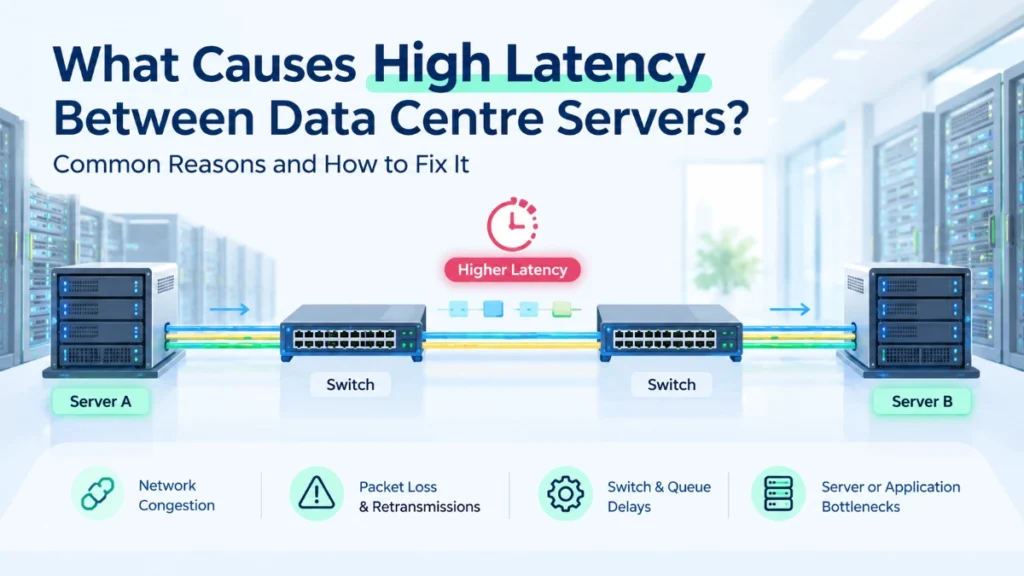
Teams in this situation usually start with the usual suspects: CPU, RAM, storage, and application code. Those are sensible places to look. But the network connection between servers can also add delay, and that delay often goes unnoticed because the servers themselves appear healthy.
Picture two servers. An application server asks a database server for a customer record, waits for the answer, then asks again for the next record. If each exchange takes slightly longer than expected, the delay repeats every time. A page that needs fifty such exchanges can feel noticeably slower, even though no single server is overloaded.
So what causes high latency between data centre servers, and how can teams identify and reduce it? This guide walks through the most common causes in plain language, shows how to separate network delay from other problems, and explains which fixes are worth trying first.
What Is Latency Between Data Centre Servers?
Latency is the time data takes to travel between two network endpoints. Engineers usually report it in milliseconds or microseconds.
Be clear about what a number means. One-way latency measures the trip from sender to receiver. Round-trip time (RTT) measures the trip there and back. Tools like ping report RTT, so a 2 ms ping does not mean each direction takes 2 ms.
Server-to-server communication follows a simple pattern. An application builds a request, the operating system packages it into packets, the network card sends them, switches forward them across one or more links, and the receiving server reverses the process.
Latency and bandwidth are different measurements. Bandwidth describes how much data a link can carry per second. Latency describes how long each piece of data takes to arrive. Think of a motorway: adding lanes lets more cars travel at once, but it does not shorten the journey for one car.
That is why a high-bandwidth link can still show high latency. A 100 Gbps link with long queues, retransmissions, or a slow path will still deliver individual packets late.
Small delays matter most for chatty applications. If an application server queries a database hundreds of times to build one response, each extra fraction of a millisecond multiplies.
Why Does Data Centre Network Latency Matter?
Latency matters because many applications wait for network responses before they can continue. The effect depends on the workload, and not every application needs the same target.
Practical effects include:
- Slower application response times, especially for applications that make many small requests.
- Delayed database transactions, particularly when a transaction needs several round trips to commit.
- Reduced efficiency in distributed applications, where services constantly call each other.
- Extra communication overhead in virtualised and cloud environments, where traffic crosses virtual switches and several software layers.
- Performance problems in tightly coordinated AI and high-performance computing workloads, where many servers must exchange data before the next step can begin.
Keep this in proportion. A file backup that runs overnight can tolerate delays that would frustrate a trading application or a distributed database. A few extra microseconds rarely cause a business problem on their own.
The useful question is not “Is our latency as low as possible?” It is “Is our latency low enough and stable enough for this workload?”
The Main Causes of High Latency Between Data Centre Servers
Most latency problems trace back to one or more of eight causes. Each one below includes a realistic example and a pointer on what to investigate.
A. Network Congestion and Oversubscribed Links
Congestion adds latency because packets wait in queues when a link receives more traffic than it can forward immediately. Even a brief burst can create a queue, and every packet in that queue arrives later.
Many data centres use oversubscription deliberately. If 48 server ports at 25 Gbps connect upward through a smaller set of uplinks, the design assumes servers will not all transmit at full speed at once. That ratio is a design choice, not proof of a problem. Trouble starts when real traffic patterns exceed the assumptions.
Consider east-west traffic, which is traffic moving between servers inside the data centre. A reporting job that pulls large datasets from many storage nodes can fill an uplink for a few seconds, and latency-sensitive traffic sharing that path slows down.
What to investigate: Check link utilisation over time, not just averages. Look at queue depth and drop counters on uplinks, and compare them with the times users report slowness.
B. Packet Loss and Retransmissions
When a packet is lost, the sender usually has to send it again, and the application waits. Retransmission can add delay far larger than the original path would suggest.
Packet loss and latency are related but different measurements. Latency describes how long delivered packets take. Packet loss describes how many packets never arrive. A network can show low average latency and still lose packets, and loss often appears as occasional large delays rather than a steady increase.
Possible contributors include congested queues, faulty cables or transceivers, dirty fibre connectors, interface errors, and overloaded hosts.
What to investigate: Review interface error counters (CRC errors, drops, discards) on both ends of each link. Check TCP retransmission statistics on the servers.
C. Network Switches and Queueing Delays
A switch receives a packet, decides where to send it, and places it in an output queue. Forwarding itself is usually very fast on modern data centre switches. The larger variable is how long a packet waits in the queue.
Queue depth, buffer behaviour, enabled features, and configuration all influence delay. Deep buffers absorb bursts without dropping packets but can add waiting time. Shallow buffers keep delay low but may drop packets sooner under pressure.
Do not assume every extra switch is a problem. The impact depends on the equipment, the traffic, and the design. Two switches with light, well-managed traffic may add less delay than one overloaded switch.
What to investigate: Check switch queue statistics, buffer utilisation, and any features that inspect or process traffic. Compare switch behaviour during peak and quiet periods.
D. Inefficient Network Topology
Topology is the layout of switches and links, and a poor layout can force traffic to take longer or more crowded routes. Unnecessary hops, bottleneck links, and uneven traffic distribution all contribute.
For example, if two busy servers sit in different parts of an older multi-tier network, their traffic may climb through several layers and cross a shared aggregation link. Moving them closer, or redesigning the path, may help.
Many modern data centres use spine-leaf architecture, where every leaf switch connects to every spine switch. This design keeps paths between servers short and predictable. It is a useful example, not a universal requirement; the right topology depends on size, workload, and budget.
What to investigate: Map the actual path between affected servers. Count hops, identify shared links, and check whether traffic spreads evenly across available paths.
E. Physical Distance and Fibre Links
Light takes time to travel through fibre, so longer paths add propagation delay. This is a physical limit that no configuration change can remove.
Inside a single data centre, however, fibre runs are short, so propagation delay is usually a small share of total latency. It becomes more important between buildings, campuses, or sites. Routing paths can also add distance: traffic may take a longer route than the straight-line distance suggests.
Distance rarely explains a latency problem between neighbouring racks. Look elsewhere first.
What to investigate: For inter-site links, ask the provider about the actual route length. For in-building links, confirm that traffic is not taking an unexpectedly long path.
F. Server, Operating System, and Virtualisation Overhead
A delay between two applications does not always start in the physical network. Busy hosts can delay packets before they ever reach the wire.
CPU contention may leave the network stack waiting for processor time. Virtual switches and hypervisors add processing steps. A noisy neighbour virtual machine can consume shared resources. Inefficient packet handling, driver problems, or poorly tuned network settings can also add delay.
What to investigate: Check host CPU usage (including interrupt and softirq load), hypervisor statistics, virtual switch counters, and network driver settings. Compare latency between two physical hosts with latency between two virtual machines.
G. Incorrect Configuration or Traffic Handling
Misconfiguration can quietly add delay or cause loss. These issues are less common in carefully managed modern environments, but they still appear, especially after changes or migrations.
Examples include:
- Speed or duplex mismatches, where two ends of a link disagree and cause errors and collisions. They matter mainly on older or manually configured links.
- MTU inconsistencies, where one device uses jumbo frames, and another does not, causing fragmentation or dropped packets.
- Suboptimal routing, where traffic takes a longer path than necessary.
- Misconfigured quality-of-service (QoS) policies, where important traffic lands in the wrong queue.
- Inappropriate prioritisation, where heavy but non-urgent traffic crowds out latency-sensitive traffic.
What to investigate: Compare configurations across devices on the same path. Review recent changes and confirm MTU, QoS, and routing settings match the design.
H. Storage and Application Delays That Look Like Network Latency
Sometimes the network is innocent. A slow database query, an overloaded storage array, or a struggling dependent service can make an application feel as though the network is slow.
Suppose an application waits two seconds for a response. If the database spends 1.9 seconds searching an unindexed table, changing network hardware will not help.
Separate network delay from processing and storage response time before changing infrastructure. Otherwise, you risk spending budget on the wrong fix.
What to investigate: Compare application-level timing with network round-trip measurements. Check storage latency, database query times, and downstream service response times.
How to Identify the Real Cause of High Latency
Work through the problem in order, and change one thing at a time. A structured approach prevents guesswork.
- Define where the delay occurs: Identify which servers, applications, and time periods are affected.
- Measure consistently: Record latency during normal and peak periods using the same method each time.
- Check network health indicators: Review packet loss, interface errors, link utilisation, and congestion signals.
- Compare with host and application metrics: Look at server CPU, memory, storage, and application response times alongside network data.
- Trace the path: Examine switch, host, and virtualisation statistics along the route between the affected servers.
- Test one change at a time and confirm the result.
Several tools help:
- Ping reports round-trip time and basic packet loss.
- Traceroute or tracepath shows the hops along a path and where delay may begin.
- Packet captures reveal retransmissions, delays between request and response, and protocol behaviour.
- Interface counters show errors, drops, and utilisation on specific links.
- Network monitoring platforms track trends over time and help correlate events.
No single tool proves the cause in every situation. A ping result, for example, shows how one small test packet behaved at one moment.
Also distinguish round-trip measurements from true one-way latency. Accurate one-way measurement requires suitably synchronised clocks and an appropriate method.
Finally, do not make disruptive changes on a production network without approval, testing, and a rollback plan.
How Can You Reduce Latency Between Data Centre Servers?
Fix the measured bottleneck first. The following steps, roughly in priority order, help most teams:
- Resolve congestion: Investigate oversubscribed paths where they affect workloads, then rebalance traffic or add capacity where the data supports it.
- Correct packet loss and errors: Replace faulty cables or transceivers, clean fibre connectors, and fix interface errors.
- Review the topology: Remove avoidable bottlenecks and unnecessary hops.
- Configure prioritisation carefully: Give latency-sensitive workloads appropriate treatment, and avoid over-prioritising traffic that does not need it.
- Check MTU consistency: If your design uses jumbo frames, confirm every device on the path supports the same size.
- Reduce host overhead: Tune virtualisation and packet processing only where measurements justify it.
- Monitor several signals together: Watch latency alongside packet loss, throughput, utilisation, and application response time.
- Test under realistic traffic: A change that works in a quiet lab may behave differently under production load.
Buying faster switches or upgrading bandwidth may help in some situations. Neither guarantees lower latency if the real bottleneck sits elsewhere, such as a faulty link, a busy host, or a slow database. Measure first, then spend.
Common Mistakes When Troubleshooting Latency
Teams often lose time through avoidable habits:
- Blaming the switch too early. Check end-to-end measurements before pointing at one device.
- Confusing bandwidth with latency. More capacity does not automatically mean faster responses.
- Treating packet loss and latency as the same thing. They interact, but they need separate measurements.
- Changing several settings at once. You cannot tell which change helped, or which made things worse.
- Ignoring servers, storage, and applications. The delay may not come from the network.
- Trusting a single ping test. One quick test cannot show behaviour under peak load.
Frequently Asked Questions
Common causes include network congestion, packet loss and retransmissions, switch queueing, inefficient topology, physical distance, host or virtualisation overhead, configuration errors, and slow storage or applications. Most cases involve more than one factor, so measure before deciding.
Yes, but not automatically. Switches add small forwarding delays, and queueing during congestion can add more. The actual impact depends on the equipment, traffic load, buffer behaviour, and configuration rather than on the number of switches alone.
Not always, but it often does. Lost packets usually need retransmission, which delays the application. Light loss may go unnoticed in some workloads, while latency-sensitive applications can suffer noticeably. Treat the two as separate measurements.
Start with ping for round-trip time and traceroute to see the path. Add packet captures, interface counters, and monitoring platforms for detail. Measure at normal and peak times, since one test rarely tells the full story.
Conclusion
Slow communication between data centre servers rarely has a single obvious culprit. When someone asks what causes high latency between data centre servers, the honest answer is that congestion, packet loss, switch queues, topology, distance, host overhead, configuration, and application delays can all play a part.
So examine them together rather than one at a time. Compare network measurements with server and application data, and measure the problem before choosing a fix.
The practical takeaway is simple: identify the bottleneck, make a targeted change, and measure the result. The same disciplined approach applies in industrial and Ethernet networks, which is the area where Comxus, as an industrial networking OEM, focuses its work.
Read Also: What Is Fibre Polarity and Why Does It Matter?
Read Also: Data Centre Network Infrastructure Costs: What Affects the Budget?
