
When Your Business Outgrows the Server Room
Picture a growing company with its head office in Delhi, a plant in Pune, and sales teams in Bengaluru, Hyderabad, and Kolkata. Customers now order through a mobile app. Finance runs on a large database. Every branch expects fast, reliable access to the same applications.
The IT team sees the pressure building. The old server room is running short of power, cooling and space. Leadership wants more capacity, better connectivity and a secure place to keep critical data. So the team asks a big question: should we build and operate our own data centre, or should we place our servers and network equipment in a colocation facility?
Both options can support business-critical applications. They differ in who runs the building, who maintains the infrastructure, and how the company plans its network. Neither model always performs better or costs less. The right choice depends on business needs, technical skills, and long-term plans.
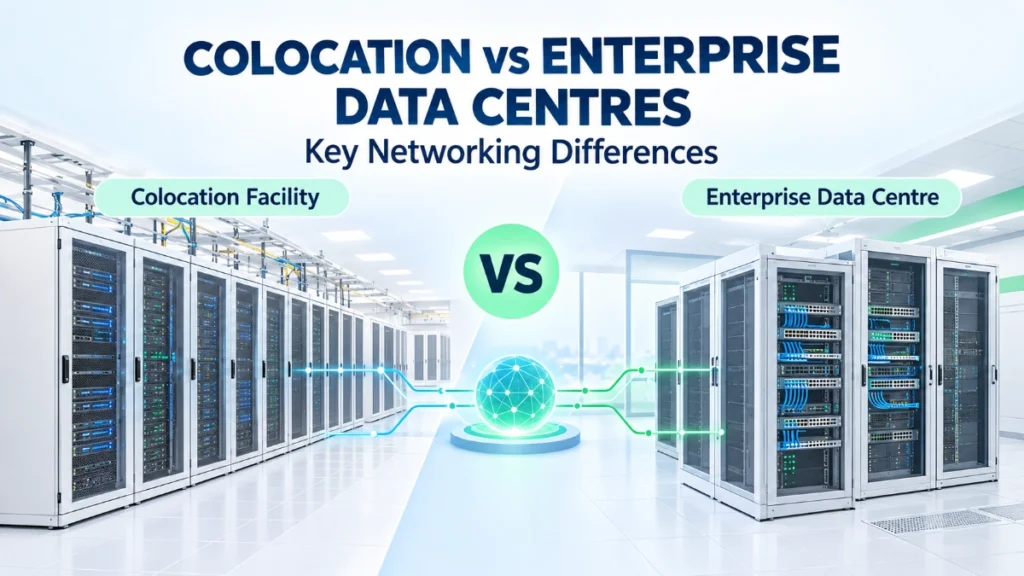
This guide compares colocation vs enterprise data centres from a networking point of view. It asks one central question: how does the choice affect networking, connectivity, scalability and day-to-day management?
What Is a Colocation Data Centre?
A colocation data centre is a facility where many businesses rent space for their own equipment. The company owns its servers, storage, and networking gear. The provider runs the building that houses them.
Think of it like owning a car but renting a secure, well-lit parking garage with a guard and a charging point. You still maintain the car. Someone else maintains the garage.
Providers commonly supply:
- Physical space: Racks, cabinets, or private cages.
- Power and cooling: The electrical and cooling systems that keep equipment running.
- Physical security and monitoring: Controlled access, surveillance, and facility monitoring.
- Connectivity options: Access to network providers, depending on the facility and service agreement.
The customer typically stays responsible for its servers, operating systems, and applications. Depending on the service, the customer may also manage some or all of its network equipment.
Colocation does not automatically mean public cloud. A company can run its own physical servers in a colocation facility without using any cloud service. Cloud hosting means renting computing resources from a provider’s shared infrastructure. Colocation means placing your own hardware in someone else’s building.
What Is an Enterprise Data Centre?
An enterprise data centre is a facility an organisation operates for its own IT workloads. It may sit on company premises or at another site the organisation controls.
A bank, for example, may run core applications and databases in its own facility. A manufacturer may host its enterprise software there. A hospital group may keep patient systems in a data centre that its own team manages.
Typical infrastructure includes:
- Servers and storage systems.
- Ethernet switches (devices that connect servers and other equipment) and routers (devices that link different networks).
- Structured cabling and fibre connections.
- Power, cooling, physical access controls, and monitoring.
- Backup, disaster recovery, and network security systems.
The organisation usually has more direct control over facility design and infrastructure choices. It may still outsource some services or use managed infrastructure.
Enterprise data centres also vary widely. One company may operate a purpose-built facility with dedicated staff. Another may run a modest, well-organised room with a handful of racks. Not every organisation runs a large, dedicated site, and size alone doesn’t define the model.
Colocation vs Enterprise Data Centres: The Main Differences
The table below summarises how the two models typically compare. Details change with each provider and contract.
| Area | Colocation | Enterprise data centre |
|---|---|---|
| Facility ownership and operation | Provider owns and runs the facility | Organisation owns or controls and runs it |
| Physical location | Provider’s site, chosen from available locations | Company premises or another site it controls |
| Power and cooling | Provider’s responsibility | Organisation’s responsibility |
| Servers and networking equipment | Customer usually owns and controls them | Organisation owns and controls them |
| Internet and carrier connectivity | Often available through the facility, depending on provider | Organisation arranges its own providers and links |
| Network design flexibility | Flexible within provider rules and available services | Typically flexible within the organisation’s own limits |
| Security responsibilities | Shared: provider handles facility, customer handles systems | Organisation handles both |
| Capacity expansion | Depends on available space, power, and contract | Depends on the organisation’s space, power, cooling, and budget |
| Maintenance and troubleshooting | Split by service agreement; remote-hands support may be available | Handled by internal teams or contracted partners |
| Cost structure and staffing | Recurring service charges plus customer equipment and staff | Facility, equipment, and staffing costs borne directly |
The most important point sits in the first two rows. Colocation changes where a company houses its infrastructure and who operates the facility. It does not necessarily transfer control of the company’s network to the provider.
Responsibilities depend on the contract. Some colocation services provide only space and power. Others add connectivity, remote-hands support (provider staff who perform simple physical tasks on request), or managed services. Always read the service description rather than assuming.
How Networking Works in a Colocation Data Centre
Inside a colocation facility, the customer’s servers connect to the customer’s switches. Those switches connect to routers, internet providers, other company sites, and external services.
The customer may deploy and configure its own switches and routers. The provider may offer cross-connects (direct cables linking two customers or a customer and a carrier inside the facility), carrier access, internet connectivity, or other interconnection services.
The customer still plans the essentials:
- Bandwidth: How much data the connections must carry.
- IP addressing: How devices are numbered and identified.
- Routing: How traffic finds its path between networks.
- Security: Firewalls, access rules, and monitoring.
Connections to offices, cloud platforms, backup sites, and business partners all need suitable design. Physical access, remote support, and troubleshooting depend on the service agreement.
Consider a company that places its business application servers in a colocation facility. It links them to its Delhi headquarters and Pune branch through network links from one or more carriers. The team configures its own routers, sets up routing between sites, and applies its own security policies. The provider keeps the power on, the cooling steady, and the doors secured.
Network quality in this setup depends on architecture, capacity, configuration, carrier options, and operational practices. Using colocation does not make a network fast or reliable on its own.
How Networking Works in an Enterprise Data Centre
In an enterprise data centre, the organisation designs and manages connectivity inside its own facility or controlled environment. Several building blocks do the work:
- Switches connect servers and storage systems.
- Routers and gateways connect different networks.
- VLANs (virtual LANs) divide one physical network into separate logical groups, which is how teams commonly separate finance systems from guest traffic.
- Redundant links and equipment provide backup paths where the design requires them.
- Monitoring, access control, and configuration management show what is happening and who can change it.
- External connectivity links the facility to branches, cloud services, and disaster recovery sites.
This setup lets the IT team shape the network around internal applications, compliance needs, legacy systems, and operational priorities.
Take a manufacturer that runs enterprise applications, production-related systems, and databases in its own data centre. It may want direct control over when network changes happen. A maintenance window might need to line up with a production shutdown. Its team can plan changes around that schedule without negotiating with an outside party.
Greater control also brings greater responsibility. The organisation must plan, operate, secure, and maintain the infrastructure, or arrange suitable external support. Staffing, skills, and ongoing upgrades all fall on the organisation’s side.
Key Networking Differences: Connectivity, Control, Scalability, and Redundancy
Connectivity
Many colocation facilities give customers access to several network carriers and interconnection services, though the options vary by facility. A company can sometimes add a new carrier by ordering a cross-connect instead of laying new cable to its own building.
An enterprise data centre needs its own connectivity arrangements. These may include internet providers, private links, and connections between company sites. A company with an on-premises facility in a smaller city may need to check which carriers actually reach that location.
Control and Customisation
Enterprise-operated facilities may offer more direct control over the physical environment and network design. The team decides on cabling layouts, equipment placement, and change schedules.
Colocation customers can still customise much of their network. Provider rules, available services, rack space, cabling options, and contract terms can set limits. A customer who wants a specific cabling arrangement should confirm it before signing.
Scalability
Colocation may let a company add rack space or connectivity services without building a new facility. A retailer preparing for a festival-season traffic peak might request extra racks in advance. Available capacity, costs, lead times, and equipment deployment still matter, though. Space can run short, and new hardware still has to arrive and be installed.
Enterprise facilities can scale too. Expansion may require extra power, cooling, floor space, and capital investment, so planning starts earlier.
Redundancy and Resilience
Redundancy means building in backups: two switches instead of one, two network links instead of one, two power supplies in each server, and connectivity paths that follow different routes. If one part fails, another can carry the load.
A company might connect its racks to two separate carriers. If a cable gets cut on one route, traffic can move to the other. That only works if the design is correct and the team tests the failover. Both links might share the same duct, or the switches might not be configured to switch over cleanly.
Neither colocation nor enterprise ownership automatically guarantees high availability. Careful design and regular testing do that work.
Cost and Operational Responsibilities: Who Manages What?
Colocation costs usually include recurring charges for space, power, connectivity, cross-connects, and optional services, as applicable. The customer may still buy and maintain servers, switches, licences, and network support.
Enterprise data centre costs include building or leasing the facility, power and cooling systems, physical security, equipment, maintenance, staffing, and ongoing upgrades.
Compare the total cost over time, not only the initial spend or the monthly rental. A facility that looks affordable in year one can change shape as equipment ages, power needs grow, or staff requirements shift. Each organisation should build its own estimates from real quotes and requirements.
Operational duties need the same attention. Someone must handle:
- Firmware updates
- Network configuration
- Security controls
- Incident response
- Backups
- Disaster recovery
The split depends on the operating model and the service agreement. In colocation, the provider typically covers the facility while the customer covers its systems, unless the contract says otherwise. In an enterprise data centre, the organisation covers everything unless it hires outside help.
Which Option Should Your Business Choose?
Colocation may suit businesses that want to own their equipment while using an external facility for power, cooling, physical security, and connectivity options.
An enterprise data centre may suit organisations that need direct control over a dedicated facility, already have suitable infrastructure and staff, or face specific operational requirements.
Weigh these factors:
- Current and expected workloads
- Bandwidth and latency needs (latency is the delay data experiences travelling between two points)
- Connectivity to users and branch offices
- Security and compliance obligations
- Internal IT expertise
- Expansion plans
- Disaster recovery requirements
- Total cost of ownership
Here is a hypothetical example. An Indian enterprise based in Mumbai plans to open operations in the north and south. Building a second facility would take time and capital. Colocation might let it place equipment in a different city, so it can improve connectivity to new regional offices without building another data centre. Now contrast that with a company that must keep certain systems on a dedicated site because of strict internal policies or regulatory expectations. It may have strong reasons to run its own facility.
Hybrid approaches also work. A business can keep some workloads in its own data centre and place other systems in colocation or cloud environments.
Common Mistakes to Avoid
Teams often run into the same problems:
- Choosing only on initial cost.
- Assuming colocation includes full network management.
- Underestimating cross-connect and connectivity requirements.
- Ignoring bandwidth growth and future workloads.
- Assuming redundant links automatically guarantee availability.
- Overlooking remote access, monitoring, and incident response.
- Failing to review provider responsibilities and service agreements.
The simple takeaway: document your network requirements and responsibilities before committing to either model; a written list of who does what prevents expensive surprises later.
Conclusion: Choose the Model That Fits Your Network
Colocation and enterprise data centres can both support demanding business workloads. They differ in facility responsibilities, control, connectivity arrangements, expansion, and operating costs. Neither model suits every organisation.
A good decision starts with clear answers to a few questions. Where do your applications run? How do users reach them? How much bandwidth do they need? Who will manage the infrastructure day to day?
Evaluate today’s requirements alongside future growth, then compare colocation vs enterprise data centres against that picture. Reliable connectivity underpins either choice, and Comxus focuses on dependable networking infrastructure as an industrial networking OEM.
Read Also: Edge Data Centres vs Traditional Data Centres
Read Also: How to Reduce Packet Loss in a Data Centre Network
