
A company decides to build a new data centre, or to add another row of racks to the one it already runs. The server quote looks clear. Storage is priced. The budget feels under control.
Then the networking team adds up the rest: switches, fibre cables, transceivers, patch panels, backup links, installation, testing, and room to grow. The line that looked simple now needs a much closer look.
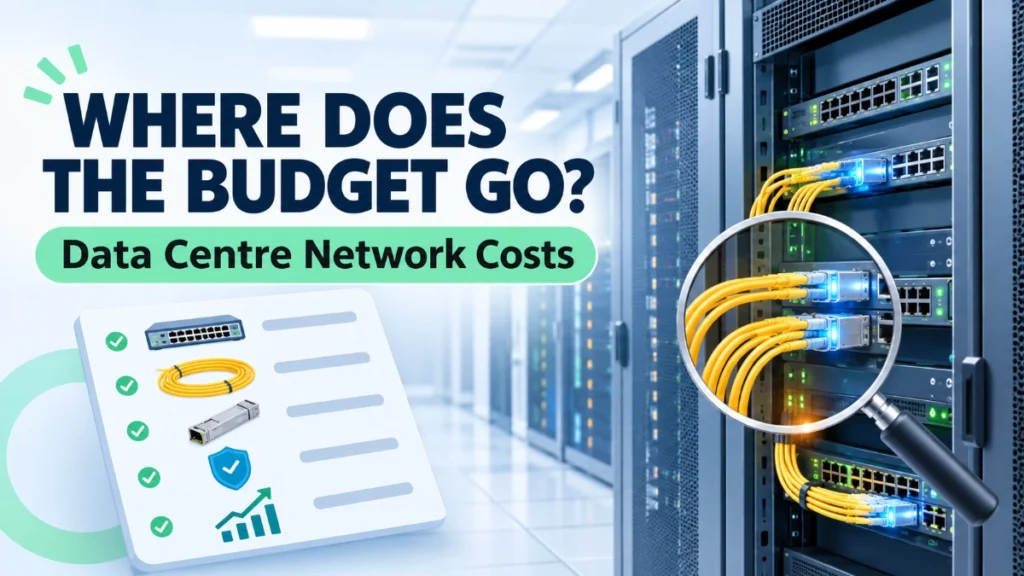
This happens often. Businesses focus on servers and storage because they are the visible assets. But servers only create value when they connect reliably to each other, to storage, and to users. A missing transceiver can delay a go-live. A weak uplink design can slow every application on the floor.
That raises the main question: What affects data centre network infrastructure costs, and how can businesses plan their networking budget without overspending or compromising future requirements?
The short answer is that no single item decides the total. Switches, cabling, transceivers, architecture, redundancy, bandwidth, installation, and ongoing management all play a part. This guide explains each factor in plain language, so you can build a realistic data centre infrastructure budget and ask better questions before you buy.
What Is Data Centre Network Infrastructure?
Data centre network infrastructure is everything that lets servers, storage systems, and other devices talk to each other and to the outside world. It includes Ethernet switches, fibre and copper cabling, transceivers, patch panels, and the software that manages them.
Think of a small setup with twenty servers in two racks. Each server plugs into a switch at the top of its rack. Those switches connect upward to other switches, which link to storage and to the internet connection. If one switch or cable fails, the servers behind it may lose access.
The pieces work together:
- Switches forward traffic between devices.
- Fibre links carry data over longer distances or at higher speeds.
- Copper cabling handles shorter, simpler connections.
- Transceivers are small modules that turn electrical signals into light (or back) so a switch port can use a fibre cable.
Network design affects performance, reliability, and cost at the same time. A well-planned network avoids both bottlenecks and wasted spending.
Why Do Data Centre Networking Costs Vary?
Two data centres with the same number of servers can have very different networking budgets. The reasons are practical:
- Size: More racks mean more switches, more cables, and more connection points.
- Ports: Every server, storage array, and uplink needs a port.
- Bandwidth: Faster connections need faster, and often costlier, equipment.
- Architecture: The way switches connect changes how much hardware you need.
- Redundancy: Backup paths and spare components add to the initial bill.
- Expansion plans: A site that expects rapid growth must plan differently from one that stays stable.
- Operations: Monitoring, security, and support needs differ from one business to another.
For example, a company running a few virtual machines for internal tools has very different needs from one hosting customer-facing applications around the clock.
So avoid copying another organisation’s network. Start with your own workloads and business needs, then design around them.
Major Factors That Affect Data Centre Network Infrastructure Costs
This section covers the main data centre networking cost drivers. Each one connects to the others, so review them together.
A. Network Switches and Port Requirements
Switches are a major part of data centre network infrastructure spending. Cost depends on how many you need, how many ports each has, and how fast those ports run.
Key points to consider:
- Port density and speed: A switch with 48 fast ports costs more than one with a few slower ports.
- Managed features: Managed switches offer monitoring, VLANs, and configuration control that unmanaged units lack.
- Uplinks: The links between switches must carry the combined traffic of many servers.
- Redundant pairs: Many designs use two switches where one might seem enough.
- Future ports: Spare capacity avoids early replacement.
The cheapest switch may not offer the best long-term value if it lacks the ports, features, or support you need. But not every data centre needs the most advanced model either. Match the switch to the workload.
B. Fibre Optic and Copper Cabling
Data centre cabling costs depend on distance, speed, and design. Fibre optic infrastructure carries data over longer distances and at higher speeds. Copper Ethernet cables suit shorter runs, often inside a rack or between neighbouring racks.
Fibre comes in two main types. Multimode fibre typically serves shorter distances within a building. Single-mode fibre typically serves longer distances. Your link length and equipment decide which fits.
Also budget for:
- Cable lengths and routing paths
- Connector types and patch panels
- Cable trays, labels, and tidy cable management
The right choice depends on distance, bandwidth, equipment compatibility, and network design. Neat installation also makes later changes faster and safer.
C. Transceivers and Connectivity Components
A transceiver is a small module that plugs into a switch port. It converts the switch’s electrical signal into light for a fibre cable, and back again.
Plan carefully, because transceivers must match several things:
- Speed: The module must support the port and link speed.
- Compatibility: Switch, transceiver, and fibre type must work together.
- Distance: Different modules suit different link lengths.
- Connectors: The connector on the module must match the cable and patch panel.
No single transceiver type suits every environment. Review the complete connectivity path, from port to port, before ordering. Gaps here often cause last-minute purchases.
D. Network Architecture and Design
Data centre network architecture shapes how many switches and cables you need.
The traditional three-tier design has access, aggregation, and core layers. It works well for many established environments. Spine-leaf architecture connects every leaf switch (which serves servers) to every spine switch. This gives traffic consistent paths between servers.
Here is a simple example. A small site with a handful of racks may run well on a simpler design. A larger site with heavy server-to-server traffic may benefit from spine-leaf, but it will need more links and more cabling to build it.
Spine-leaf is not always cheaper, and not every data centre needs it. Good data centre network design starts with traffic patterns, size, and growth plans.
E. Redundancy and Network Resilience
Redundancy means having backup paths and components so that one failure does not stop everything. Common approaches include:
- Redundant switches
- Multiple uplinks
- Backup connectivity paths
- Link aggregation, where several links act together, where appropriate
- High-availability design choices
Data centre network redundancy raises the initial investment, because you buy extra hardware, cables, and transceivers. In return, certain equipment or link failures have less impact on operations.
Redundancy does not remove all downtime. Power, software, and human errors can still cause outages. Decide how much availability your business needs, then pay for that level.
F. Bandwidth and Performance Requirements
Bandwidth is how much data a link can carry. Ports commonly run at 1G, 10G, 25G, 40G, 100G, and higher speeds. Faster links generally need more capable switches, transceivers, and cabling.
Workload type matters most:
- Server-to-server traffic can be heavy in clustered applications.
- Storage traffic needs steady, low-delay connections.
- Virtualisation and cloud workloads concentrate many applications onto few physical servers.
- AI and high-performance computing often demand very fast links.
Higher bandwidth can raise both equipment and connectivity costs. Choose speeds based on actual and expected workloads, not on the biggest number available.
G. Installation, Configuration, and Testing
Many budgets forget the work that happens after delivery. Typical items include:
- Rack installation and equipment mounting
- Cable routing and termination
- Network configuration
- Labelling and documentation
- Connectivity and performance testing
- Troubleshooting and commissioning
Poor installation can cause faults that are hard to trace years later. Clear labels and updated documentation save time every time someone adds, moves, or repairs equipment.
H. Network Management, Monitoring, and Security
Running the network costs money after the hardware is installed. Think about:
- Monitoring tools that show link and device health
- Configuration management and backups
- Firmware and software maintenance
- Access controls for administrators
- Network segmentation, which separates traffic into controlled zones
- Troubleshooting and operational support
These costs vary with the size, complexity, and management approach of your environment. A small team may manage with simple tools, while a larger site often needs more structured processes.
Quick Comparison of Cost Factors
| Cost factor | What drives it | What to check |
|---|---|---|
| Switches | Port count, speed, features | Spare ports, uplink capacity |
| Cabling | Distance, fibre or copper, routing | Cable type, patch panels |
| Transceivers | Speed, distance, compatibility | Full connectivity path |
| Architecture | Size and traffic pattern | Fit for current and future needs |
| Redundancy | Availability target | Which failures matter most |
| Bandwidth | Workload demand | Real traffic, not guesswork |
| Installation | Labour, testing, documentation | Scope of commissioning |
| Management | Tools, skills, security | Ongoing support plan |
Initial Investment vs Long-Term Operating Costs
The purchase price is only the start. A data centre infrastructure budget should cover the full life of the network.
Initial costs include equipment, cabling, and installation. Operating costs continue afterwards:
- Power consumption: Networking equipment draws electricity and adds to cooling needs.
- Maintenance and replacement: Parts age, and support contracts expire.
- Monitoring and management: Tools and staff time keep the network healthy.
- Expansion and upgrades: Growth often means new ports, links, and modules.
- Skills and support: Someone must configure, troubleshoot, and document the network.
This is why businesses should think in terms of total cost of ownership. A cheaper switch that needs early replacement, or lacks management features, may cost more over time than a better-matched alternative. Compare equipment on the full picture, not on purchase price alone.
How to Plan a Data Centre Networking Budget
Follow these steps to build a realistic budget:
- Define the purpose and workloads. Know what the data centre must run and how critical it is.
- Estimate racks, servers, and connections. Count every server, storage device, and uplink that needs a port.
- Set bandwidth and port speeds. Use actual traffic and expected growth.
- Choose an architecture. Pick a design that fits your size and traffic pattern.
- Plan cabling and transceivers. List fibre, copper, connectors, patch panels, and modules together.
- Define redundancy needs. Decide which failures the business cannot accept.
- Add installation, testing, monitoring, and maintenance. Include them from the start.
- Allow for realistic expansion. Plan for likely growth, not every possible scenario.
Next, prepare a bill of materials (BOM). A BOM lists every component, quantity, and specification. It helps you spot missing items and compare quotes fairly.
When you compare offers, check that equipment is technically equivalent. Port speeds, features, transceiver compatibility, and support terms should match before you compare prices.
Common Budgeting Mistakes to Avoid
Watch for these frequent errors:
- Planning only for today’s servers. Growth arrives faster than expected.
- Underestimating small components. Cables, patch panels, and transceivers add up.
- Ignoring redundancy. Adding it late is harder and more expensive.
- Buying on price alone. The lowest quote may lack ports, features, or support.
- Overbuying bandwidth. Unused capacity still costs money.
- Skipping installation, testing, and maintenance. These are real costs, not extras.
- Having no expansion plan. Even a rough roadmap helps.
Conclusion
Data centre network infrastructure costs depend on much more than switches and cables. Architecture, connectivity, bandwidth, redundancy, installation, management, and future expansion all shape the budget.
Start with your actual workloads and business requirements. Then choose infrastructure that balances performance, reliability, scalability, and cost. Build a clear bill of materials, count the hidden items, and plan for the full life of the network.
Comxus works in Ethernet and industrial networking, where the same principle applies: design the network around real requirements, not assumptions.
Read Also: What Causes High Latency Between Data Centre Servers?
