
A PLC on the plant floor starts dropping its connection to a remote I/O rack intermittently, with no obvious pattern. The HMI freezes for a few seconds, throws a communication alarm, then recovers. An operator restarts the device, and it works again… for a while. This is a classic sign of packet loss in industrial Ethernet, and it can show up as intermittent communication, delayed responses, device disconnections, PLC errors, unstable monitoring, dropped data, or recurring network alarms.
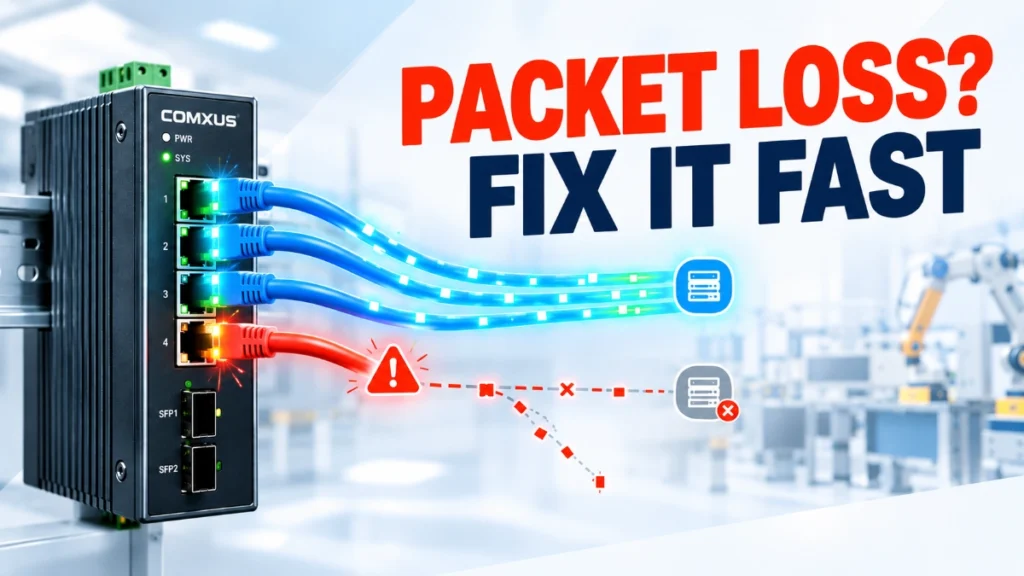
It’s tempting to blame the switch first. But packet loss is usually a symptom, not a root cause. Finding the real source means working systematically through the physical layer, network devices, traffic conditions, configuration, and connected equipment, not jumping straight to hardware replacement.
What Is Packet Loss in Industrial Ethernet?
Packet loss occurs when Ethernet frames or higher-layer packets fail to reach their intended destination. In an office network, this might mean a slightly slower page load. In an industrial environment where PLCs, HMIs, remote I/O, drives, robots, industrial cameras, sensors, and SCADA systems depend on timely, reliable data exchange, even small amounts of packet loss can disrupt control logic or monitoring accuracy.
There’s an important distinction between occasional packet loss, which many networks tolerate without issue, and persistent or intermittent packet loss, which points to an underlying problem. How much it matters depends heavily on the application and protocol in use; a slow SCADA polling cycle tolerates loss very differently than a motion-control network.
Common Causes of Packet Loss
Packet loss in industrial networks can stem from several layers of the system. Common contributors include:
- Damaged or poor-quality Ethernet cables
- Loose connectors
- EMI (electromagnetic interference) from motors, VFDs, or welding equipment
- Duplex or speed mismatch between devices
- Network congestion
- Faulty or overloaded network equipment
- Incorrect switch configuration
- Network loops or broadcast storms
- Excessive cable length
- Fibre or SFP transceiver problems
- Power instability affecting network devices
- Protocol or application-layer issues
| Possible Cause | Typical Symptom |
|---|---|
| Damaged cable | CRC/frame errors, intermittent link |
| EMI | Random communication interruptions |
| Congestion | Delays and dropped traffic |
| Network loop | Severe instability, broadcast storm |
| Faulty SFP/fiber | Link flaps or loss of communication |
| Configuration issue | Unexpected traffic or connectivity problems |
No single symptom confirms a specific cause on its own; this table is a starting point for investigation, not a diagnosis.
Step-by-Step: How to Troubleshoot Packet Loss
Step 1: Identify Which Devices Are Affected
Start by narrowing the scope. Which devices show problems, one or several? Is it continuous or intermittent? Does it correlate with specific times, machine cycles, or shifts? Are the affected devices on the same switch or network segment? This narrows your search area before you touch any hardware.
Step 2: Check Ethernet Cables and Connectors
Inspect RJ45 connectors, patch cables, industrial-rated cabling, routing paths, and termination points for visible damage. Industrial cabling is exposed to vibration, temperature swings, oil, moisture, mechanical flexing, and EMI, all of which degrade connections over time.
Step 3: Check Link Status and Port Counters
Pull up switch diagnostics and look for CRC errors, alignment errors, dropped packets, excessive broadcasts, packet errors, link up/down events, and interface statistics. Terminology varies by switch vendor, so check your documentation for exact counter names.
Step 4: Test the Network
Use appropriate diagnostic tools: ping and continuous ping, packet capture, switch port statistics, network monitoring software, and protocol-specific diagnostics. Ping can reveal basic connectivity issues, but it does not identify every type of Ethernet fault; it’s a starting point, not a complete diagnosis.
Step 5: Check for Congestion
Look for high traffic utilisation, burst traffic, unnecessary broadcast or multicast traffic, overloaded uplinks, and poorly segmented networks. Congestion can cause dropped packets and delays even when hardware is functioning correctly.
Step 6: Check Switch Configuration
Review VLAN setup, QoS settings, redundancy configuration, port speed/duplex settings, storm-control features, multicast handling, loop prevention, and port error logs as relevant to your architecture.
Step 7: Check Fibre and SFP Links
For fibre-connected segments, inspect fibre connectors, verify fibre type matches, confirm SFP compatibility, check optical link status, inspect for physical fibre damage, and review link alarms.
How to Identify Whether the Switch Is the Problem
Determining whether the industrial Ethernet switch is actually contributing to packet loss requires evidence, not assumption. Review port statistics and error counters, watch for link flapping, check CPU and resource utilisation where available, and consider temperature, environmental conditions, power stability, and recent configuration changes.
A practical test: move the affected device to a known-good port. Does the problem follow the port, the cable, or the device itself? Do not replace the switch before identifying evidence that points toward the switch; this is a troubleshooting principle, not a sales pitch.
Physical Layer vs. Network Layer Problems
Separating these two categories speeds up troubleshooting significantly.
Physical layer issues include cable damage, connector problems, EMI, fibre issues, SFP problems, and electrical or environmental conditions.
Network and configuration layer issues include congestion, VLAN misconfiguration, QoS settings, loops, incorrect redundancy configuration, traffic storms, and incorrect port settings.
Knowing which category you’re dealing with early on prevents wasted time chasing the wrong fix.
Preventing Packet Loss in Industrial Ethernet
Prevention reduces how often you need to troubleshoot in the first place:
- Use industrial-grade Ethernet cabling suited to the environment.
- Follow proper cable-routing practices, away from EMI sources where possible.
- Keep network documentation current.
- Monitor switch port statistics regularly.
- Use managed switches when network visibility matters.
- Segment networks appropriately.
- Configure QoS where the application requires it.
- Use redundancy where the application requires it.
- Monitor temperature and power conditions.
- Keep spare cables and SFPs on hand where appropriate.
- Periodically review network utilisation.
Managed switches and good cabling practices reduce risk; they don’t guarantee zero packet loss.
When Should You Replace an Industrial Ethernet Switch?
Replacement or deeper investigation may be justified when you see persistent port errors, repeated link failures, confirmed hardware faults, unsupported network requirements, insufficient port capacity, inadequate environmental rating, missing management or diagnostic capabilities, or aging/obsolete hardware. Replacement decisions should be based on evidence gathered during troubleshooting and the actual requirements of the application, not assumptions.
Conclusion
Troubleshooting packet loss in industrial Ethernet comes down to a repeatable sequence: Identify → Inspect → Measure → Isolate → Correct → Monitor. Working through the physical layer, network conditions, and configuration systematically rather than replacing hardware on a hunch leads to faster, more accurate fixes.
When it’s time to invest in new equipment, choosing industrial Ethernet networking gear with strong diagnostics, appropriate environmental ratings, and features matched to your application makes future troubleshooting easier. Comxus builds industrial networking products with exactly that kind of reliability and visibility in mind.
Read Also: What Is an Access Port in Networking? How It Works and Where Is It Used?
Read Also: What Is VLAN? A Complete Guide for Industrial and Business Networks
