
Power over Ethernet (PoE) has simplified modern network deployments. It allows both power and data over a single Ethernet cable. This makes installations faster, cleaner, and more cost-effective.
However, one critical factor often overlooked is power budget calculation. Without proper planning, your PoE switch may fail to power all connected devices. This article explains everything in a simple and practical way.
What is Power Budget in a PoE Switch?
Power budget refers to the total amount of power a PoE switch can supply to connected devices. It is usually measured in watts (W). Every PoE switch has a fixed maximum power output.
Each connected device consumes a portion of that total power. These devices are called Powered Devices (PDs). Common examples include IP cameras, wireless access points, and VoIP phones.
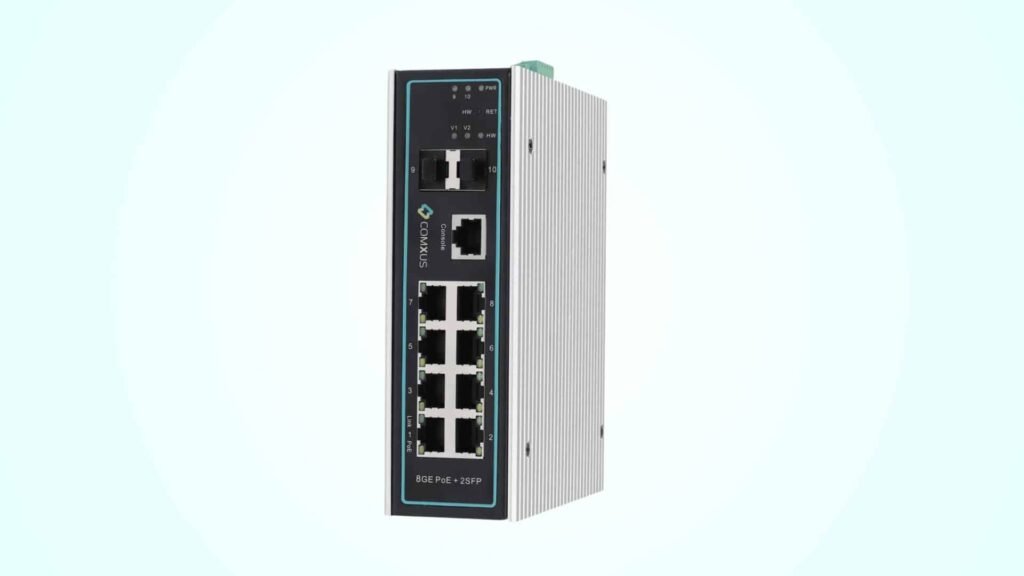
If total consumption exceeds the switch capacity, some devices may not power on. That is why accurate calculation is essential.
Why Power Budget Calculation is Important?
Power budget calculation ensures stable and uninterrupted network performance. It helps prevent device failures and unexpected shutdowns.
In CCTV surveillance systems, this becomes even more critical. A single camera going offline can create security gaps. Proper planning ensures all devices receive consistent power.
It also helps in future scalability planning. You can easily add new devices without replacing the switch.
Understanding PoE Standards and Power Limits
Before calculating power budget, you must understand PoE standards. Each standard defines how much power can be delivered per port.
Here are the common standards:
- IEEE 802.3af (PoE) – Up to 15.4W per port
- IEEE 802.3at (PoE+) – Up to 30W per port
- IEEE 802.3bt (PoE++) – Up to 60W or 90W per port
Not all devices consume maximum power. Most operate below the rated limit. However, you should always consider peak consumption.
Key Components in Power Budget Calculation
To calculate accurately, you need to consider a few key elements.
1. Total Power Budget of the Switch
This is the maximum power the switch can deliver. For example, an 8 port PoE switch may have a 120W budget.
2. Power Consumption per Device
Each connected device has a specific power requirement. This is usually mentioned in the datasheet.
3. Number of Connected Devices
Count all devices connected to the PoE ports. Include current and future devices.
4. Power Loss and Efficiency
There is always minor power loss due to cable resistance. It is usually small but should be considered.
What are the step by step guide for power budget calculation-
Let’s understand this with a practical example.
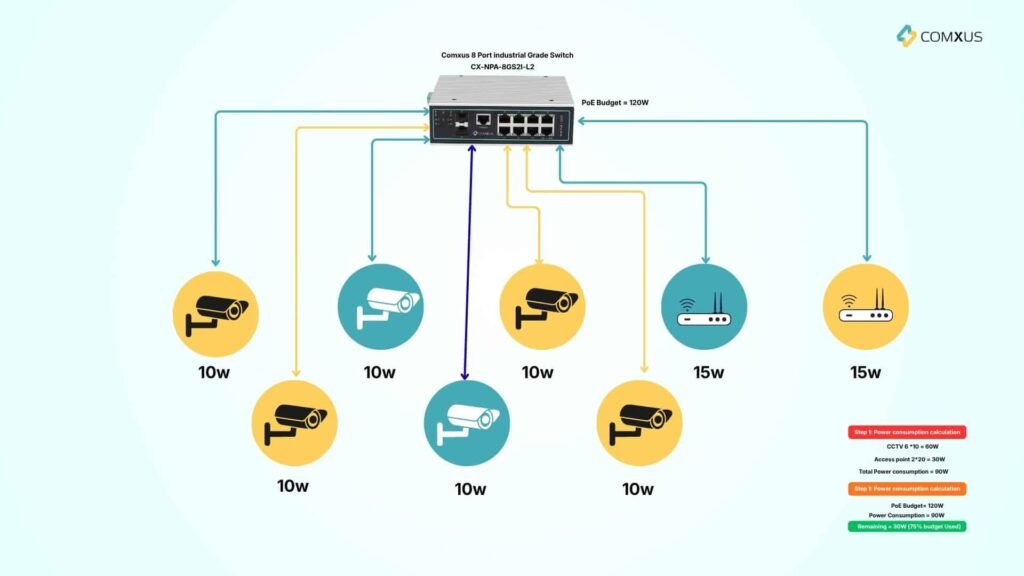
Scenario:
You are using an 8 port PoE switch with 120W power budget.
You want to connect:
- 6 IP cameras (each consumes 12W)
- 2 wireless access points (each consumes 20W)
Step 1: Calculate Total Power Consumption
- Cameras: 6 × 10W = 60W
- Access Points: 2 × 15W = 30W
Total consumption = 72W + 40W = 90W
Step 2: Compare with Switch Budget
Switch capacity = 120W
Total usage = 90W
Remaining power = 120W – 112W = 8W
Step 3: Analyze Result
The configuration is safe. However, there is very little spare capacity. This setup leaves limited room for expansion.
What are the best practices for poe Budget planning?
- Always Keep a Safety Margin: Do not use 100% of the power budget. Maintain at least 20% spare capacity. This ensures stable operation.
- Check Device Specifications: Always verify the actual power consumption of each device. Avoid assumptions.
- Use High PoE Budget Switches: For industrial and surveillance applications, use switches with higher power capacity. This improves reliability.
- Plan for Future Expansion: Consider future devices while designing the network. This avoids costly upgrades later.
- Use Managed PoE Switches: Managed switches allow better control. You can monitor power usage and assign priorities.
Power Budget Calculation for CCTV Surveillance?
CCTV systems are one of the most common PoE applications. Power planning is crucial here.
Each IP camera typically consumes between 6W to 15W. PTZ cameras may consume up to 30W or more.
For example:
- 8 fixed cameras (10W each) = 80W
- Total switch budget = 120W
This leaves 40W spare capacity. This is a good design practice.
For PTZ cameras, you need PoE+ or PoE++ switches. Standard PoE may not be sufficient.
What are the common mistakes to avoid?
Many network planners make simple mistakes during calculation.
- Ignoring Peak Power Consumption: Devices may consume more power during startup. Always consider peak usage.
- Overloading the Switch: Using full capacity leaves no buffer. This increases failure risk.
- Not Considering Cable Loss: Long cable runs can cause minor voltage drops. This affects performance.
- Mixing Different PoE Standards: Ensure compatibility between switch and devices. Mismatch can cause issues.
How to Choose the Right 8 Port PoE Switch
Selecting the right switch is equally important.
Look for these features:
- High total PoE power budget (at least 120W or more)
- Support for PoE+ or PoE++ if needed
- Industrial-grade design for harsh environments
- Dual power input for redundancy
- Smart power management features
For surveillance and industrial networks, reliability should be the top priority. Comxus 8 port industrial-grade ethernet switch with 2 sfp ports and comxus 8 port industrial ethernet switch with 4 sfp uplink fiber switches have all these features.
Conclusion-
Power budget calculation is not just a technical step. It is a critical part of network design.
A well-calculated PoE system ensures smooth operation, better performance, and long-term reliability. It also prevents downtime in critical applications like CCTV and industrial automation.
Always calculate total power consumption carefully. Compare it with the switch capacity. Keep a safety margin for future expansion.
By following these simple practices, you can design a robust and efficient PoE network without unexpected failures.
